
F&I training that stays accountable between visits.
The Dealer Timeline is a private, shared page for each Elite FI partner dealership. Your Elite FI agent posts every store visit, recorded menu presentation, training assignment and results review to it, and everyone on your timeline is emailed when something new goes up. It is where Adaptive Training lives between visits.
Updated September 2026
- VisitService Visit: Discovery day at CrestviewEmailed to 4 people
- TrainingModules assigned: Objection HandlingEmailed to 4 people
- PostQuiz results: Objection Handling LabEmailed to 4 people
- VisitService Visit: Objection role play, built from the quizEmailed to 4 people
- PostQuiz retake: team average 91%Emailed to 4 people
- VisitService Visit: 60 day reviewEmailed to 4 people
Sixty days on one store's Dealer Timeline.
Every visit, session, assignment and quiz lands on the timeline as it happens. Each card below is the real Timeline screen your team signs in to.
An example timeline. Crestview Motor Group and its team are fictional, because real Dealer Timelines are private to each partner.
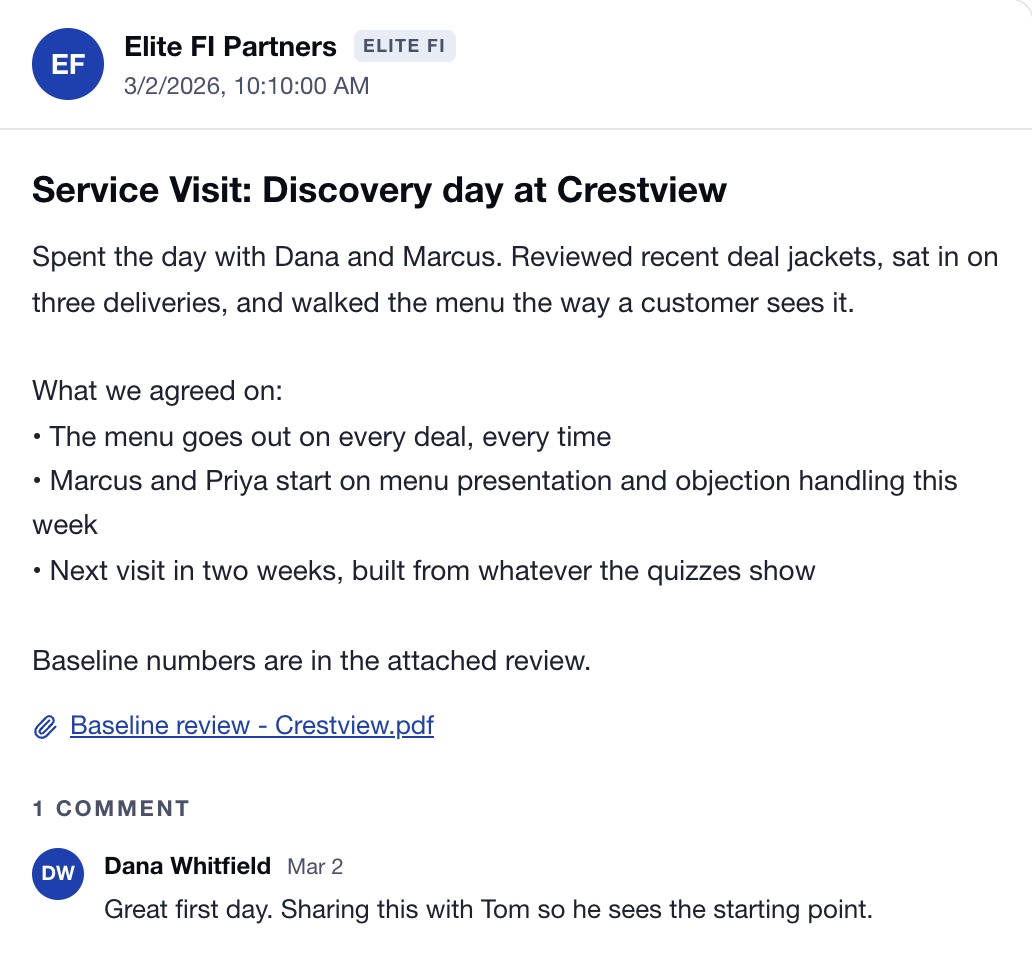
- Mar 2Store visit
Discovery day
The first visit is posted the same day: what we saw, what we agreed on, and the baseline review attached.
- Mar 4Training session
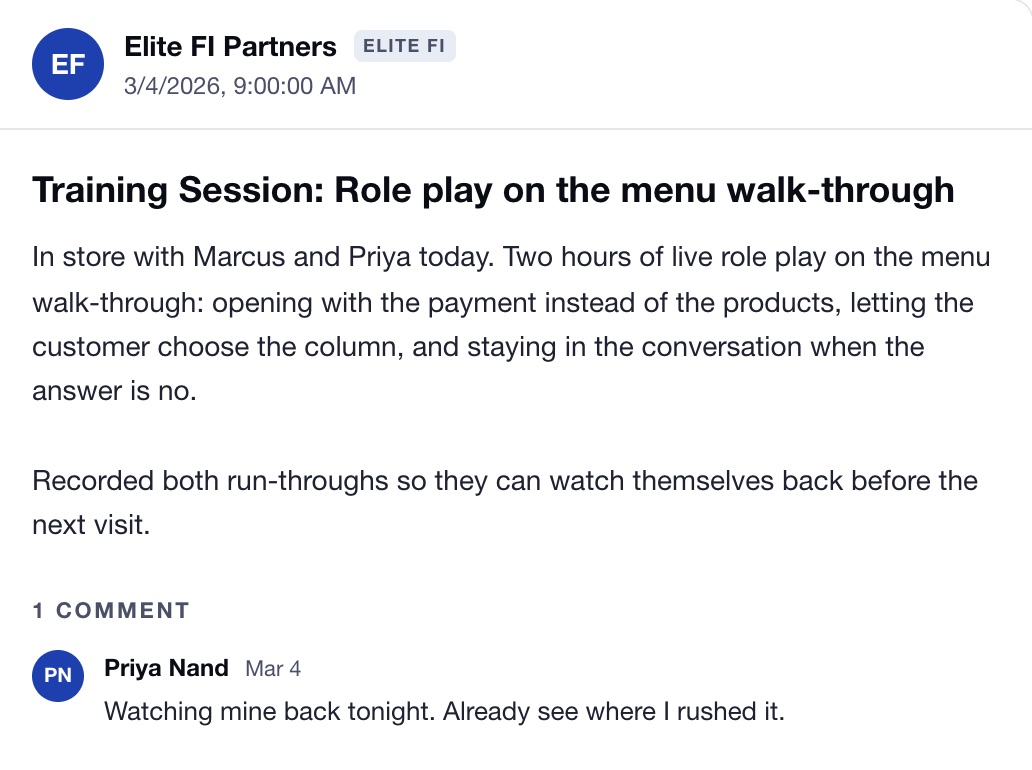
Role play in the store
Two hours of live role play on the menu walk-through, recorded so each manager can watch themselves back.
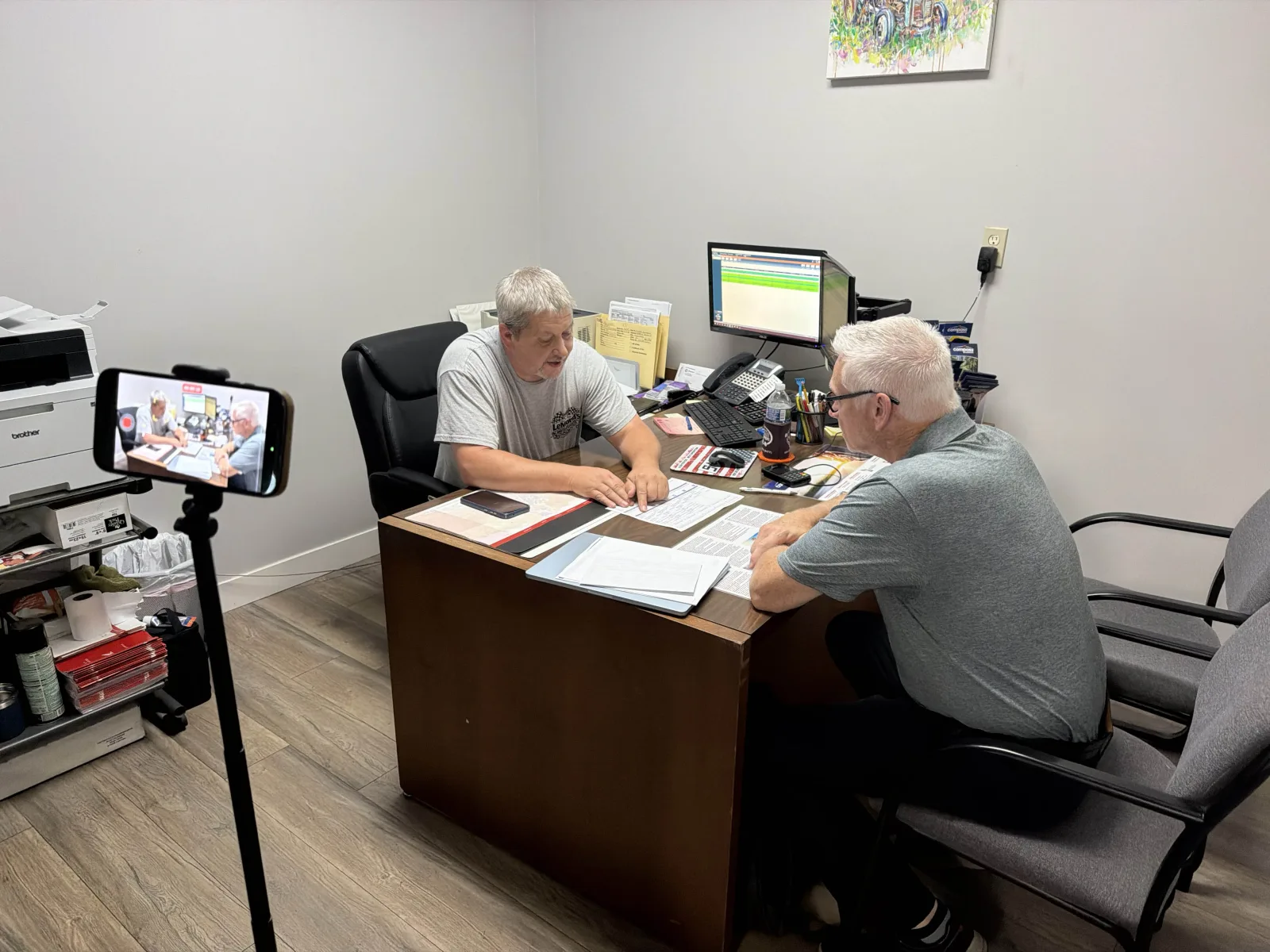
Recorded in the store, posted the same day - Mar 5Modules assigned
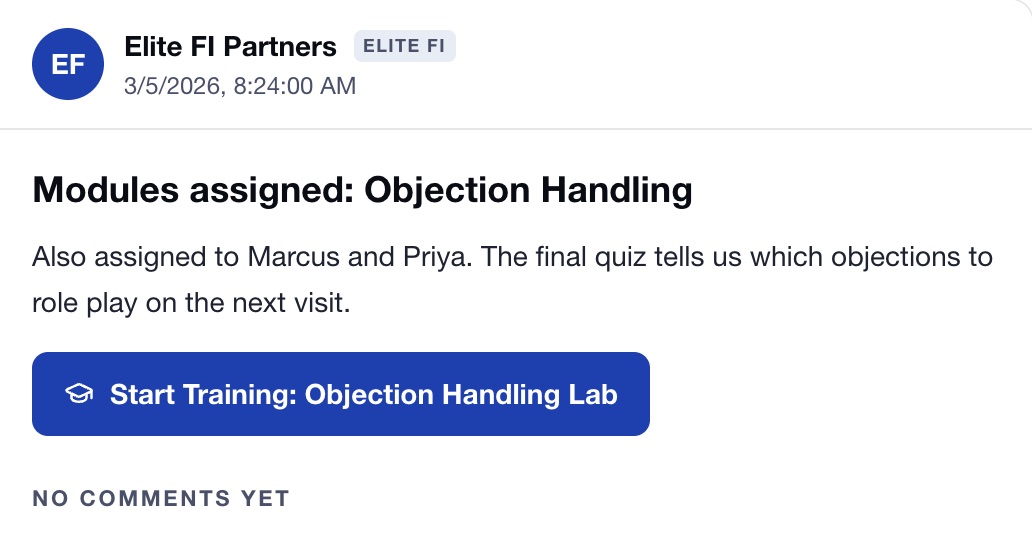
Courses assigned by role
Menu presentation and objection handling go to the two finance managers, each post carrying a Start training button.
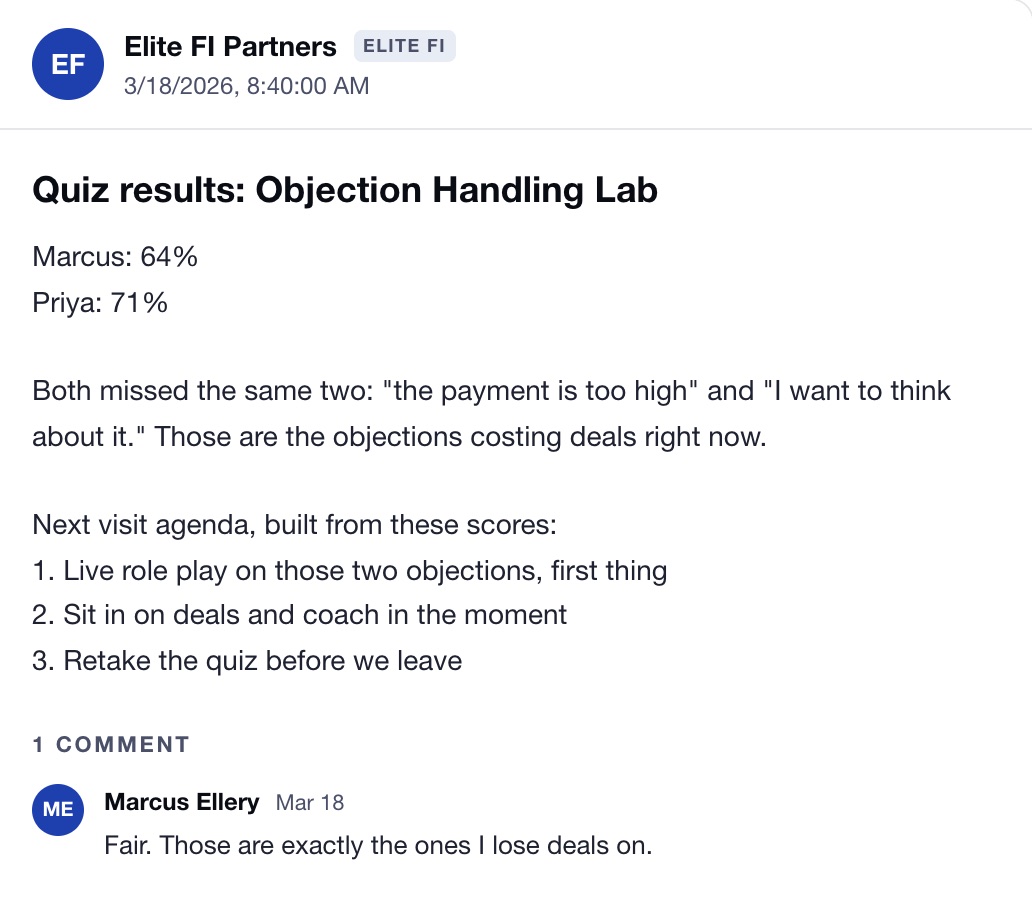
- Mar 18Quiz results
The quiz sets the next visit
Both managers miss the same two objections. The post turns those scores into the agenda for the next visit.
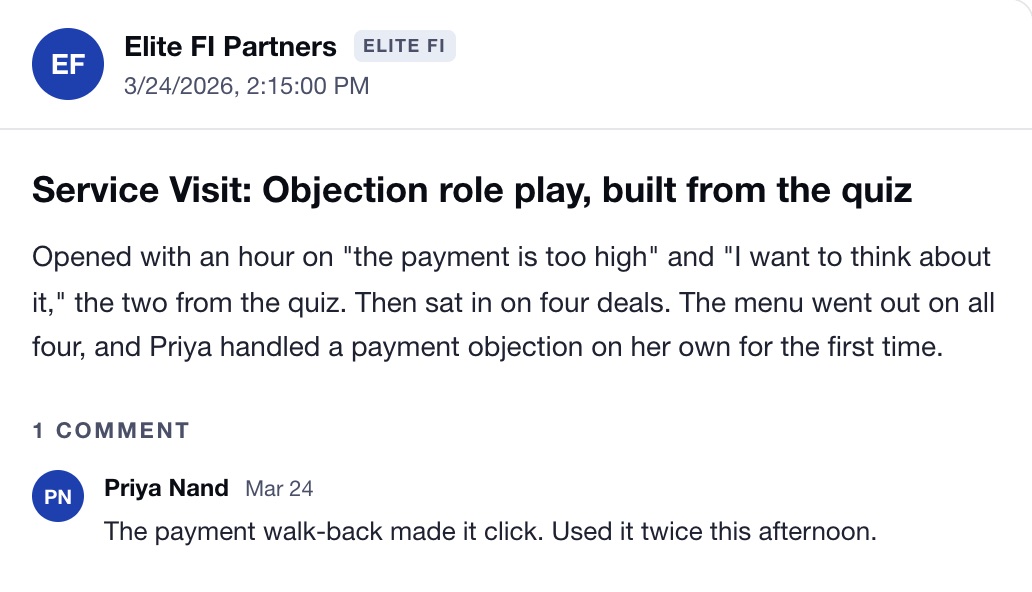
- Mar 24Store visit
A visit built from the quiz
The visit opens on the two objections the quiz found, then coaching on live deals.
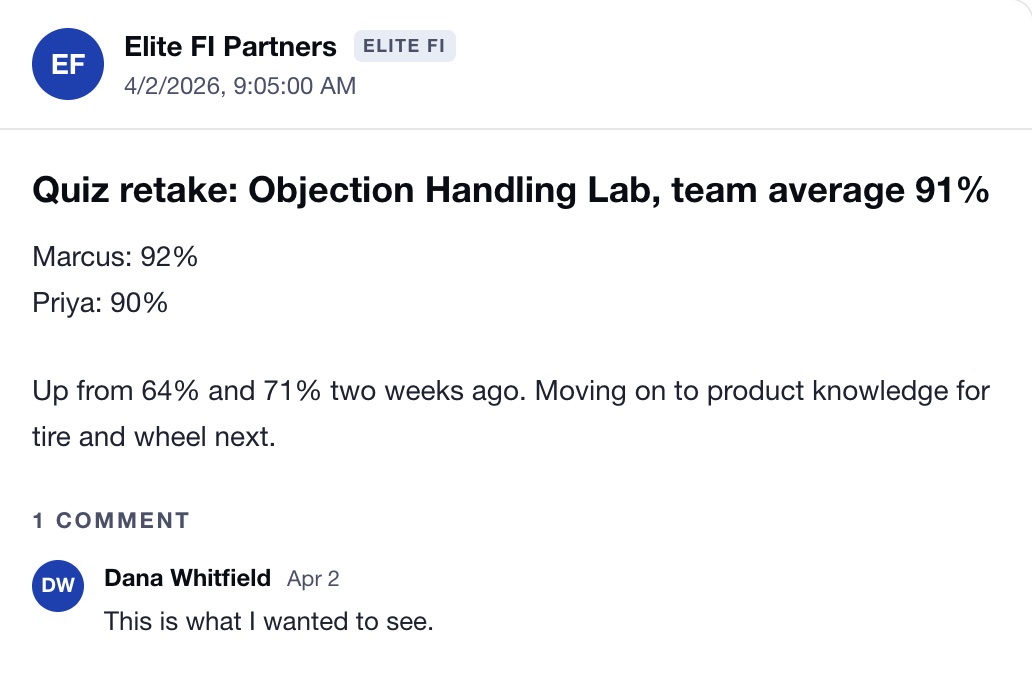
- Apr 2Quiz retake
The retake
Same quiz, two weeks later. The general manager sees it the moment it is posted.
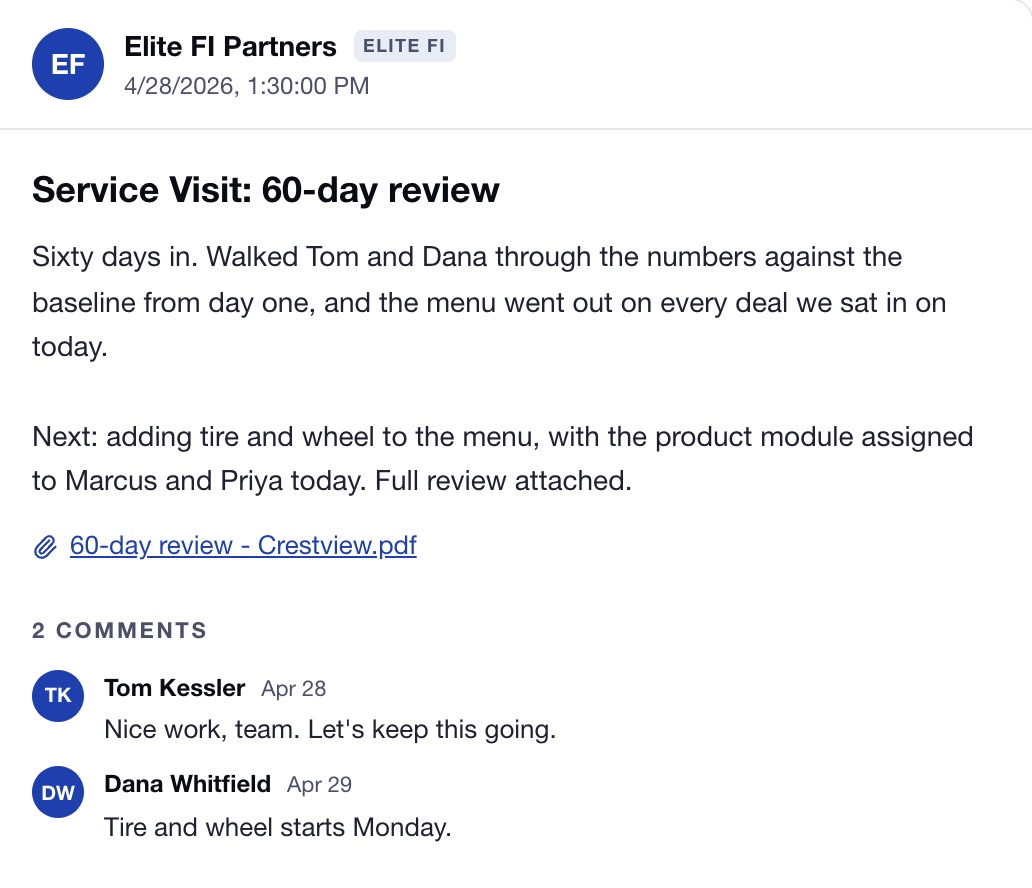
- Apr 28Results review
The 60 day review
The numbers against day one, reviewed with the principal and GM, and the next product added to the plan.
The score decides what we work on next.
The next visit is never a guess. Quiz results post to the timeline, and the next visit is built around the questions your team missed.
Both missed “the payment is too high” and “I want to think about it.”
- Live role play on those two objections, first thing
- Sit in on deals and coach in the moment
- Retake the quiz before we leave
Then on to the next product. The timeline shows the whole arc to everyone on it.
Scores from the example timeline above.
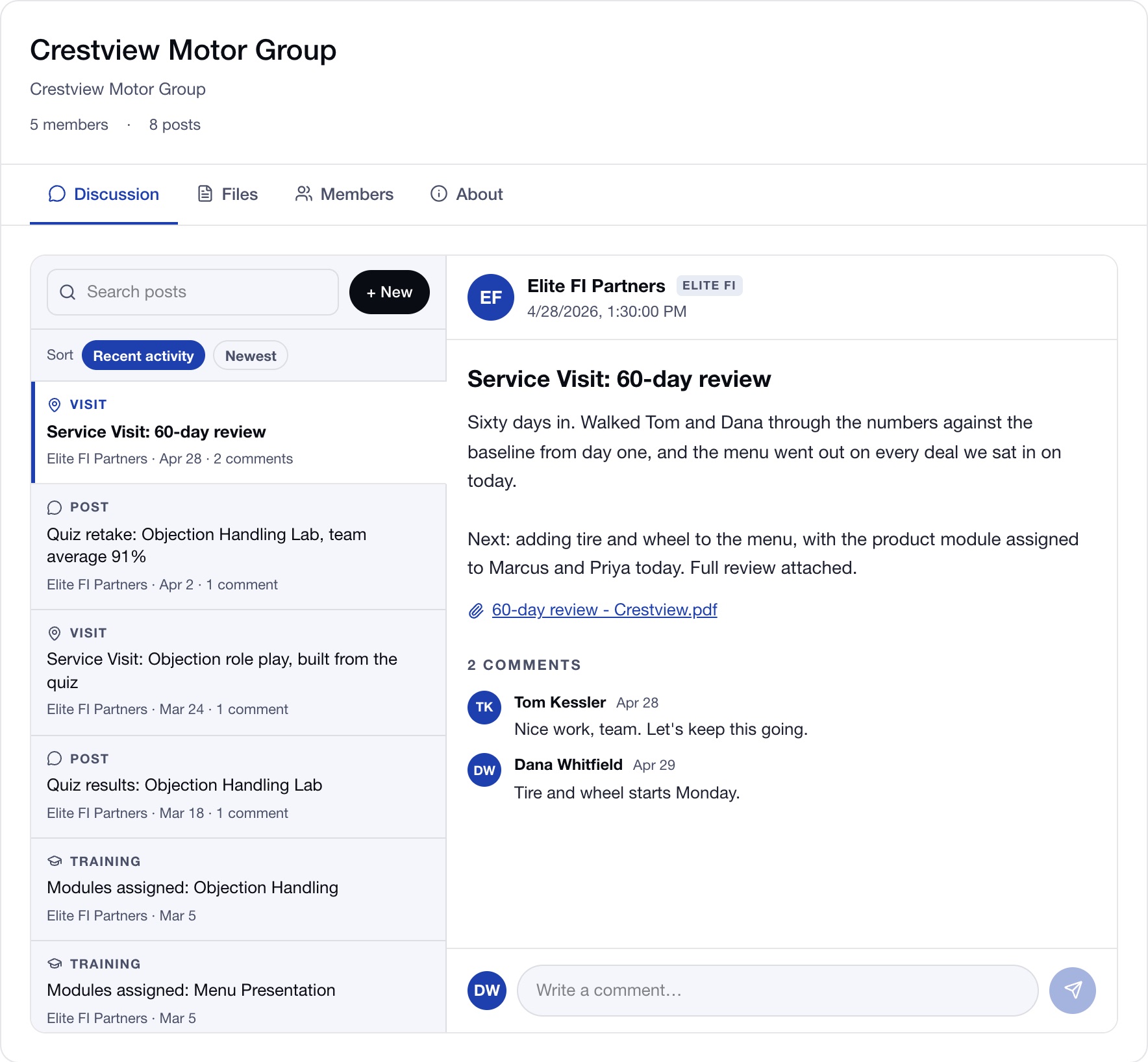
This is what your team signs in to.
Posts down the left, labelled as visits, training and posts. The one you pick opens on the right with its comments, and anyone on the timeline can reply from the portal.
Who is on a Dealer Timeline, and how are they kept in the loop?
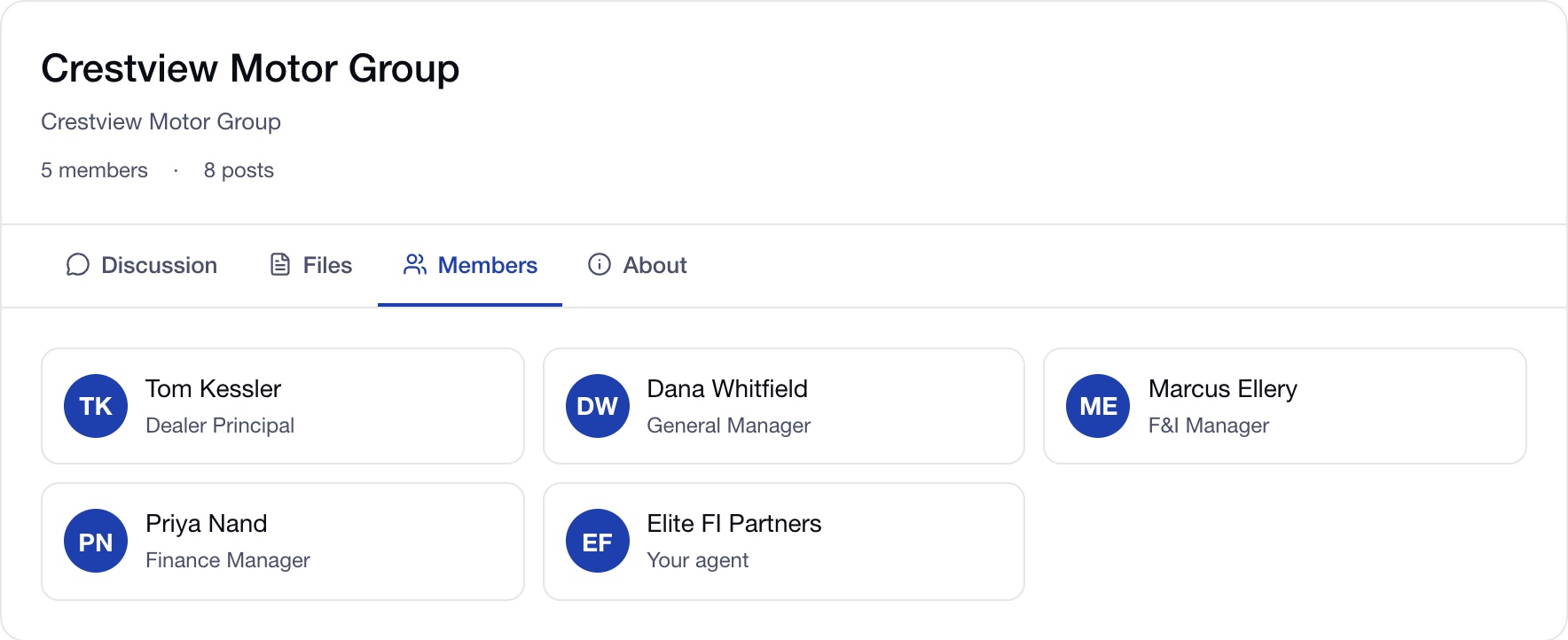
Everyone who owns the result. A timeline usually carries the dealer principal, the general manager, the F&I director and the F&I managers, alongside your Elite FI agent. Nobody has to go looking for an update, because the update comes to them.
- Every new post is emailed to everyone on the timeline with notifications on.
- Your team can post back from the dealer portal, and your Elite FI agents are emailed when they do.
- New since your last visit is marked, so nobody scrolls past what changed.
- No password to remember. You sign in with a one time code sent to your email.
- Private to your dealership. Only the people added to it and the Elite FI team can see it.
What goes on your Dealer Timeline?
Five kinds of post, all written for your team. Together they make a running record of your F&I development that anyone on the timeline can scroll back through.
Store visit recaps
After a visit your agent writes up who they worked with, what was covered and the next step, and posts it to the timeline straight from the visit log.
Recorded menu presentations
Role plays and menu presentations are recorded and posted with written coaching notes, so a manager can watch their own delivery and read exactly what to work on next.
Training assignments
Your agent assigns a course from the Adaptive Training Library to a specific person from a post. They are enrolled, sent a sign in code if they need one, and the post carries a Start training button.
Results reviews
When your agent walks through the month or the year with you, the summary is posted, so the numbers and the plan sit in the same place as the work behind them.
Files
Brochures, training packets and updated menus live in the Files tab, where anyone on the timeline can grab them at any time.
Why the Dealer Timeline works.
Continuous
The work keeps going between visits. Every recap, recording and assignment lands in one place, so the next visit starts where the last one ended.
Measured
Progress you can see, not guess at. Recordings sit side by side, training shows who has started and finished, and results reviews are posted.
Accountable
Everyone who owns the result is in the loop. Every new post emails everyone on the timeline, and your team can post back from the portal.
How is this different from typical F&I training?
Most agencies hand you someone else’s training and a visit when they can make it. We built our own training, and the system that runs it. The Dealer Timeline is where you see the difference.
| Topic | Typical F&I training | Elite FI Dealer Timeline |
|---|---|---|
| Where it happens | A workshop or a single visit | A continuous record that keeps going between visits |
| What is left behind | A binder and notes in someone’s inbox | Every visit, recording, assignment and review, in order, in one place |
| Who sees it | Whoever was in the room | Your principal, managers, F&I team and your Elite FI agent |
| Follow up | Depends on someone remembering | Every new post emails everyone on the timeline |
| Proof of progress | A sense that it went well | Recorded presentations with coaching notes, side by side over time |
| Training | Handed out once, to everyone | Assigned to the right person from a post, with progress tracked |
| Who built it | Usually someone else’s training, delivered by the agency | Elite FI built the training and the system that runs it |
Where the Dealer Timeline fits in the process.
Adaptive Training is a loop of five steps that repeat. The timeline is where each step leaves its mark. See the full training process.
- DiscoverWhat we find in your store and the plan that follows are posted to the timeline.
- TrainCourses are assigned to the right person from a post, with a Start training button.
- CoachVisit recaps and recorded role plays land after every session, in the store or virtual.
- MeasureResults reviews are posted, so the numbers sit beside the work that moved them.
- AdaptThe next step in each recap becomes the plan for the next visit.
Frequently asked questions.
What is the Dealer Timeline?
The Dealer Timeline is a private, shared page for each Elite FI partner dealership. Your Elite FI agent posts every store visit recap, recorded menu presentation, training assignment and results review to it, and everyone on the timeline is emailed when something new is posted. It is where Adaptive Training lives between visits.
Who can see our Dealer Timeline?
Only the people added to it and the Elite FI team. That is typically your dealer principal, general manager, F&I director and F&I managers, alongside your Elite FI agent. Timelines are private to each dealership.
How are people notified of updates?
Every new post emails everyone on the timeline who has notifications turned on. When someone at your dealership posts from the dealer portal, your Elite FI agents are emailed too. Inside the timeline, posts that are new since your last visit are marked so nothing is missed.
What gets posted to the Dealer Timeline?
Store visit recaps with the next step, recorded menu presentations and role plays with written coaching notes, training assignments from the Adaptive Training Library, results reviews after your agent goes through your numbers with you, and files such as brochures, training packets and updated menus.
How is training assigned through the timeline?
Your agent picks a course from the Adaptive Training Library and the person it is for, then posts it. That person is enrolled in the course, is sent a portal sign in code if they do not have access yet, and the post carries a Start training button that opens the course.
How does the Dealer Timeline show progress?
Through what is posted to it over time. Recorded presentations sit side by side with their coaching notes, so you can watch a manager improve. Training shows who has started and finished each assigned course. Results reviews put the numbers next to the work behind them.
How is this different from a group text or an email thread?
A group text has no structure and no record of the training. The Dealer Timeline labels every post as a visit, video, training assignment or file, keeps each recording beside its coaching notes, and ties training assignments to the Adaptive Training Library, so the whole history of your F&I development is in one place.
How do we sign in?
Through the dealer portal on elitefipartners.com. Enter your email address and we send you a one time sign in code, so there is no password to remember. From the portal you can read the timeline, post back to your agent and open your assigned training.
Not sure where your finance department needs the most support?
Take the Finance Manager Readiness Assessment to identify strengths, gaps, and training opportunities across product knowledge, menu presentation, objection handling, compliance, coaching, accountability, and leadership. Training should adapt to your dealership, and this shows you where to focus first.
- → Automotive F&I Training
The pillar hub for the whole training system.
- → Our Process
The five step loop the timeline records.
- → Applied Coaching
The role play and in store coaching the timeline captures.
- → Menu Presentation Training
The presentation recorded and coached on the timeline.
- → Adaptive Training Library
The courses assigned from the timeline.
- → Performance Management Training
The numbers reviewed with you and posted.
- → Training Philosophy
Why accountability is built into the approach.
- → Leadership Training
How leaders keep the team accountable.